Homeware product photography has a clear job: help a shopper understand what an item looks like, what it is made of, how large it is, and what arrives in the box. For UAE retailers and online stores, a useful image set combines an accurate primary image with close details and, where appropriate, a contextual frame. The setting should support the product—not leave the buyer guessing about it.
That is a practical brief for any product photographer: make the object legible before making the image decorative. It applies to ceramics, tableware, cushions, linens, lighting and other home accessories, whether the final assets will be used on a brand site, a marketplace or a retailer’s product page.
Begin with the questions a customer cannot answer from the name
Before choosing props or backgrounds, write down the decisions the shopper is trying to make. Is the glaze glossy or matte? Does the fabric have a visible weave? Is the item sold singly or as a set? Does the lamp include a shade or bulb? Is the colour warm white, cream or pale grey? Which dimensions matter for placement? Each question points to an image or a product detail that can resolve it.
This turns the shoot into an information plan rather than a pile of attractive frames. Give every image one clear role: identify the item, show its form, explain a detail, establish scale, or demonstrate use. If two frames answer the same question, one may be more valuable as a view of a different finish or a useful close-up.
Give the hero image a simple, accurate job
The primary frame should make the exact item easy to recognise. Keep the full product visible, give it breathing room and choose a background that does not compete with its silhouette. For marketplace listings, check the destination’s current image rules before production. Google Merchant Center, for example, distinguishes the main product image from additional image links and recommends that images accurately represent the product; it also advises against promotional overlays and watermarks.
That guidance is useful beyond Google: keep the primary view clear, then let secondary frames show angles, details and context. Read the current Google Merchant Center image requirements for the exact channel specifications, because platform rules can change.
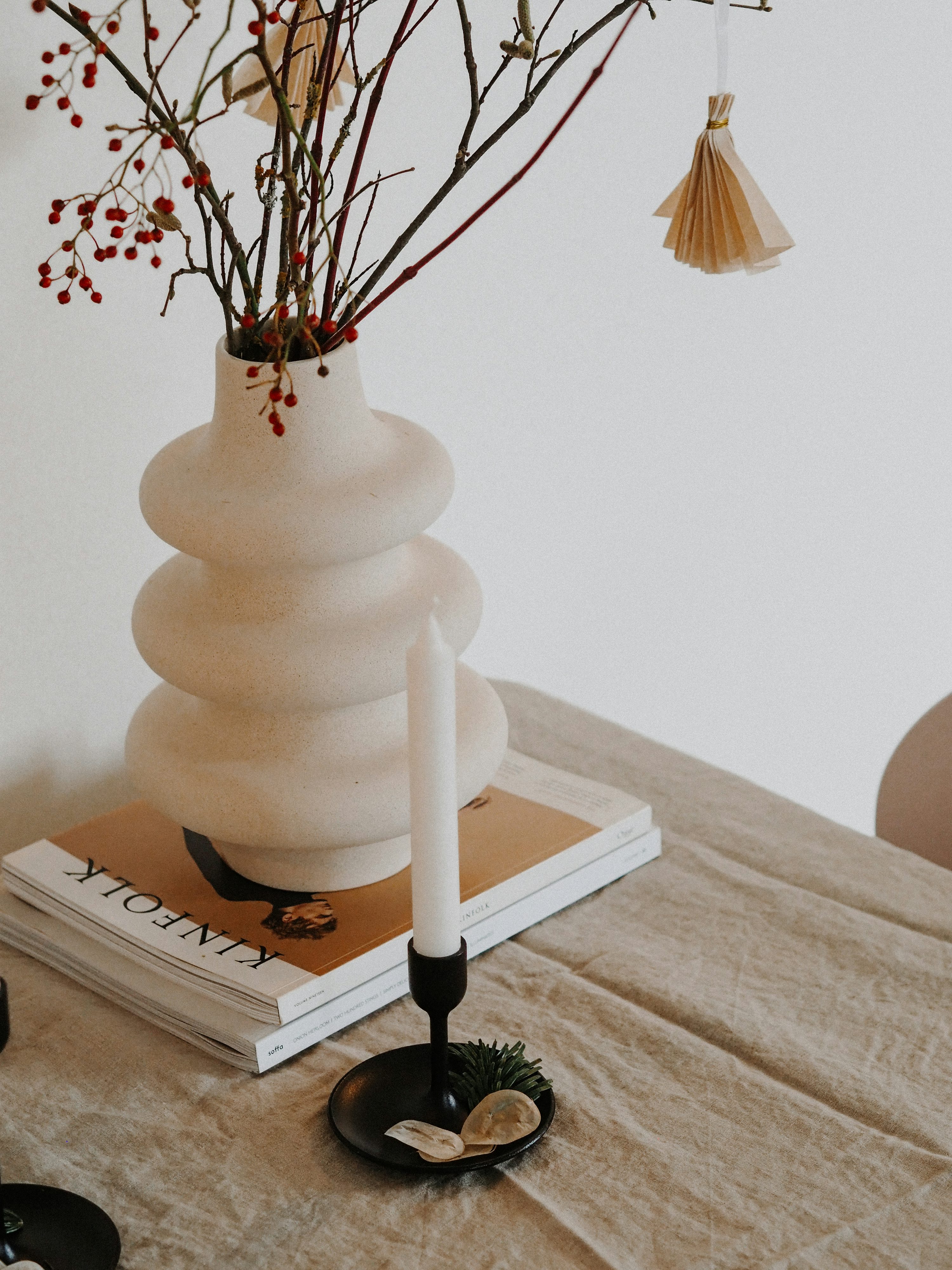
Avoid styling that could imply an unlisted bundle. A vase photographed beside a book and flowers may look inviting, but the product page should make clear which objects are included. If props appear, keep the hero frame unmistakable and use captions, crop choices or a dedicated detail image to separate the item for sale from the set dressing.
Show scale without distorting the object
A close crop can make a small bowl feel monumental; a wide lens close to a chair can exaggerate its proportions. For a form-led view, step back and keep the camera position controlled. Use a second frame with a familiar environmental cue—a tabletop, shelf or hand only when the model and image rights are clear—to help the viewer read scale. A contextual photograph is not a substitute for stated measurements: publish the dimensions in the product information and make sure the image does not contradict them.
For sets, photograph the contents in a way that lets shoppers count them. For stackable or nested pieces, separate an overview from a detail showing how the pieces relate. This reduces ambiguity for both the person buying and the team answering questions later.
Make material and finish believable
Homeware often sells through touch that a screen cannot provide. Light can help approximate that experience: a broad, soft source reveals shape without harsh glare; a controlled side light can bring out linen weave, wood grain or a ceramic edge; a smaller reflected highlight can describe gloss on glass or glazed surfaces. These are starting points, not fixed recipes. Test the product itself, because a satin glaze, polished metal and textured textile each respond differently.
Retouching should remove distractions, not rewrite the object. Preserve real texture, edge shape and surface variation. Compare the image with the actual item under neutral viewing conditions, and check colour across the export set before delivery. If a line includes multiple finishes, shoot each one rather than recolouring a single image and presenting it as a real variant.
Use lifestyle frames to add context—not replace product evidence
A room scene can help a shopper imagine how a product sits in a home, but it should be a supporting view. Keep scale and proportion plausible, avoid props that visually merge with the item, and do not use a wide interior frame as the only image of an object. A simple sequence often works well: a clean product view, a three-quarter angle, a useful close-up, a scale or use frame, and separate images for meaningful variants.
Consistency matters when a collection spans different objects. Reuse a deliberate approach to crop, horizon, light quality and background, while adapting the setup to each material. A shared visual system makes browsing feel coherent; a repeated setup that hides important differences does not.
Coordinate imagery with product information
Photographs cannot carry every specification. Product pages should align imagery with the written description, materials, dimensions, care guidance, variant names and what is included. The UAE Ministry of Economy’s consumer-protection guidance highlights the consumer’s right to correct information about goods. Treat that as a practical standard for content review: the image, caption and product data should describe the same item.
The Ministry’s overview is available at Consumer Protection in the UAE. Requirements can depend on the product, sales channel and applicable rules; this article is practical photography guidance, not legal advice. Confirm any compliance questions with the relevant authority or a qualified adviser.
A concise homeware shoot checklist
Confirm the exact SKU, colour, finish, set contents and dimensions before photography.
Choose a clear hero view that shows the complete product without distracting props.
Plan supporting angles, construction details, texture, scale and any genuine variants.
Test lighting on reflective, translucent and textured surfaces before the full set.
Keep lifestyle imagery plausible and clearly separate from included product contents.
Review colour and retouching against the actual item; do not create unphotographed variants.
Check crops, resolution, file format and marketplace rules for every intended destination.
Cross-check the image set against the product title, description, dimensions and care details.
The strongest product set is not necessarily the largest. It is the one that removes uncertainty in the order a buyer is likely to have it: identity, form, finish, scale, use and variant. Build that sequence into the brief and each image earns its place.
EquiFilms works across professional photography and film production. To discuss a product-photography brief, explore EquiFilms or contact the team with your product range, channels and intended launch timing.